


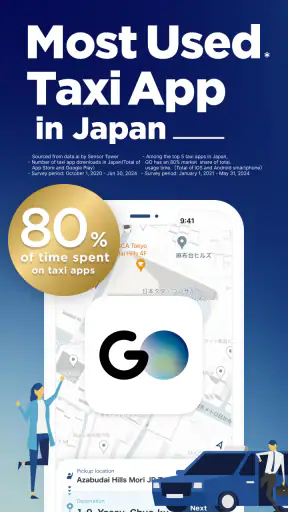
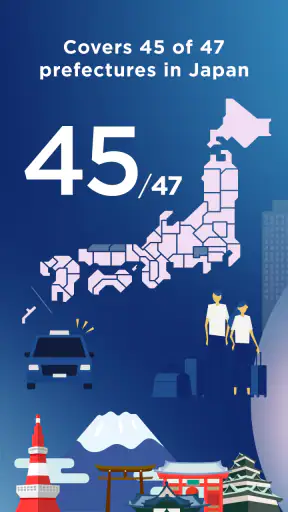
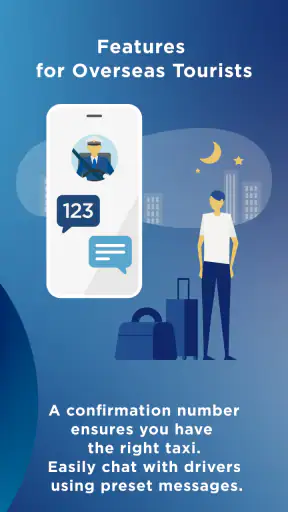

For a visitor in Japan, getting a taxi can feel more complicated than it should. Street names may be unfamiliar, a busy station can have several exits, and explaining a destination in Japanese is not always easy. GO is a free taxi app from GO Inc. that aims to make that first ride less stressful. I found its strongest appeal in the moment when I needed a car but did not want to negotiate the process at the curb.
This is a Maps & Navigation app, but I would not treat it as a general replacement for a full map service. Its purpose is narrower and more practical: helping you use taxis in Japan. The store summary highlights an important change for international visitors: a non-Japanese phone number can now be used for registration. That makes the first hurdle much less intimidating for travelers who arrive with a foreign mobile number.
GO is best understood as a taxi-booking companion for Japan, not an all-purpose travel planner. If your trip will involve occasional taxis between stations, hotels, restaurants, airports, or sightseeing spots, it can be a useful part of your travel setup. If you mainly need walking routes, train timetables, or offline maps, another app will still be more suitable.
What to expect before your first ride
The app has a focused feel. You are not opening it to browse attractions or plan an entire day. You open it because you want to arrange a taxi or make the taxi process easier. That narrow purpose is a benefit when you are standing outside a hotel with luggage, but it also means the experience depends on the taxi situation around your location.
My advice is to install it before you are in a hurry. A calm setup at your accommodation is much easier than trying to register while rain is falling, your phone battery is low, or a group of people is waiting behind you. Once the account is ready, you can learn the layout without the pressure of an immediate departure.
The app is free to install and is rated for Everyone. It was released on February 17, 2023, and the current version is 10.4.6, with Android 11 or later required. Those details matter most if you are traveling with an older spare phone. Check compatibility before relying on that device as your only way to request a taxi.
Its public reception is encouraging without making it perfect: GO holds a 4.3 average from around fifty-four thousand ratings and has passed five million installs. I read that as evidence that many people find it useful, while still leaving room for the occasional location, registration, or availability frustration that can happen with any transport app.
Why it can help a first-time visitor
The biggest advantage is reducing the amount of spoken explanation needed. Instead of trying to describe a hotel entrance or pronounce a Japanese address, you can prepare the destination in the app and focus on confirming that the pickup point is sensible. That is especially helpful when you are tired after a long flight or traveling with children.
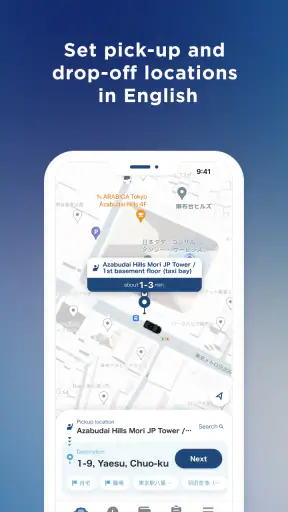
It can also give you a more deliberate way to think about pickup. A station may have several roads around it, and the nearest point on a map is not always the place where a taxi can safely stop. Before requesting a car, look at the surrounding streets and landmarks rather than choosing a pin automatically. A few seconds of checking can prevent the driver from searching for you at the wrong exit.
Another practical strength is preparation. If you know you will leave a restaurant at a particular time, you can open the app before finishing your meal, review the destination, and avoid making the whole group wait while you work out the details. I would still keep a backup plan, especially late at night or in less central areas, because an app cannot create taxi supply where there are few cars.
Setting up GO with a non-Japanese number
The registration change is particularly relevant for tourists. A non-Japanese phone number is now available for sign-up, so you do not need to begin your trip assuming that a Japanese number is required. Use the number you can actually access while traveling, because account verification or recovery is much easier when messages can reach you.
Before starting, make sure your phone can receive messages and that you have a stable connection. Hotel Wi-Fi may be enough for setup, but a mobile connection is more reassuring once you are outside. I would also keep the phone language and keyboard comfortable for you, while remembering that destination names and addresses may appear in Japanese depending on how a place is registered.
Do not wait until you are standing beside a crowded road to discover that your account needs another step. Install the app at home or in your hotel, complete registration, and open it again later to make sure you can reach the main taxi screen. This simple rehearsal is one of the most useful things a first-time user can do.
The developer is GO Inc., and the app is free. That removes the cost barrier to trying it before your trip. Still, free installation should not be confused with a free taxi ride. The app is a tool for arranging transport; the ride itself remains a normal travel expense, so keep your broader budget in mind.
Prepare the information that matters most
Have your accommodation name, address, and phone number available before you start. A hotel name alone may identify several entrances or branches, while an address gives you a better chance of selecting the correct destination. For a restaurant or attraction, save the Japanese spelling from its official page or reservation details when possible.
For pickup, think in terms of a place a driver can recognize rather than simply “where I am.” At a large station, choose the appropriate taxi area or a clear road entrance. At a hotel, the main entrance is usually easier than a side street. If you are in a pedestrian-only lane, move to a legal stopping point instead of expecting the car to reach your exact position.
This is also where the app should be used alongside local awareness. A map pin may look accurate, but construction, one-way streets, elevated roads, and station layouts can make the final approach different from what the screen suggests. The app can organize the request; your eyes still need to confirm the physical meeting place.
Making the first successful request
For a reassuring first test, choose a straightforward journey from a hotel or another clearly marked location to a destination with a recognizable entrance. Avoid testing it during your busiest sightseeing moment. Open GO, set the pickup location carefully, enter the destination, and review every visible detail before confirming anything.
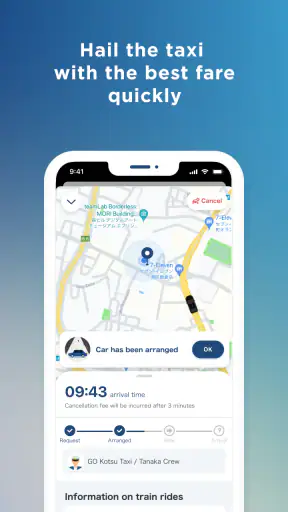
The most important check is not speed. It is whether the pickup point matches reality. Stand where a taxi can find you, keep the phone available, and watch the surrounding road rather than staring only at the screen. If you are traveling with companions, nominate one person to handle the phone and another to watch for the vehicle. That prevents everyone from moving in different directions.
When the ride is complete, compare the app experience with what you actually needed. Did the chosen pickup point make sense? Was the destination clear? Did you feel confident about where to wait? These observations help you improve the next request more than simply learning where each button is.
A realistic example would be arriving at a hotel after a train journey with two suitcases, then needing to reach a restaurant in an unfamiliar neighborhood. Instead of walking back to a main road and trying to flag down a taxi, I would register in advance, select the hotel entrance, check the restaurant carefully, and keep the phone ready near the doorway. The value is not just requesting a car; it is turning a vague travel problem into a sequence of small checks.
Use the first ride as a navigation lesson
Pay attention to the relationship between the digital pickup point and the actual street. If the driver approaches from a different direction, that does not automatically mean the app failed. Japanese roads can make the practical stopping point different from the closest point on a map. Remember what worked for the return journey.
Likewise, save useful destination details in your own travel notes. If a hotel has a particular entrance that works well, record it in plain language. If a sightseeing site is easier from a nearby road than from its main gate, keep that information for later. GO can help with the immediate taxi request, while your notes become a personal shortcut for the rest of the trip.
Confusion points that can slow you down
The first common mistake is assuming that a map position automatically equals a good pickup position. It does not. A blue dot or selected point may place you near a narrow lane, a pedestrian area, or the wrong side of a station. Always match the screen with signs, entrances, and traffic flow around you.
The second is entering an English name and assuming the result will be unambiguous. Famous places may be easy to find, but smaller restaurants, guesthouses, and similarly named businesses can require more care. Check the address, neighborhood, and nearby landmark. If the result looks uncertain, ask your hotel desk to confirm the Japanese address before requesting the taxi.
The third is treating the app like a guarantee of immediate availability. Taxi demand changes with location and time, and a quiet screen does not mean your phone is broken. Try moving to a clearer pickup point, checking your connection, or asking hotel staff for help if the request does not progress as expected. For an important airport connection, leave enough time for a normal fallback such as a station taxi stand or public transport.
Another source of stress is using the app while the whole group is already ready to leave. Decide the destination and pickup point first, then open the request screen. This avoids last-minute debates about which entrance to use. It also reduces the chance that someone walks away from the selected location while another person waits for the car.
When a different tool is better
GO should not be your only navigation app in Japan. For train transfers, platform changes, walking directions, and broad sightseeing planning, a dedicated map or transit service is usually more useful. GO becomes valuable when the specific problem is a taxi, especially when language, luggage, weather, or distance makes public transport less convenient.
I would also skip relying on it as the sole plan for a remote rural excursion unless I had already checked how I would return. A taxi app can be excellent for the outward trip and less helpful when you finish at a quiet viewpoint with limited vehicles nearby. In that situation, confirm the return arrangement with your accommodation or local staff before leaving.
For travelers who already speak Japanese comfortably and are staying beside a major taxi stand, the benefit may be smaller. You may find it faster to use a clearly marked stand or ask hotel staff. The app is most worthwhile when it removes uncertainty, not when it adds another screen to a situation that is already simple.
Small habits that make the app more useful
First, prepare destinations in a quiet moment. Search for the hotel, airport terminal, or restaurant before you need it, then check the selected result against your reservation or itinerary. This is more reliable than searching while standing on a busy sidewalk with several similar place names on screen.
Second, use landmarks to communicate with your group. “Wait at the main hotel entrance” is better than “wait at the pin.” If the group separates, everyone should know the same physical meeting point. This is a simple travel habit, but it prevents the app from becoming a source of confusion.
Third, keep a written backup of your accommodation details. If your phone loses signal or battery, you should still be able to show the address to hotel staff or a taxi driver. A taxi app improves convenience; it should not replace basic travel preparation.
Fourth, give yourself a buffer before anything time-sensitive. A taxi request is only one part of the journey. You may need time to find the pickup point, load luggage, reach the correct terminal entrance, or handle traffic. The app works best when used as part of a realistic plan rather than as a last-second rescue.
Finally, learn from the first successful trip. Note which entrance worked, how long it took to reach the roadside, and whether the destination name was easy to identify. Those details make the second and third rides feel much more natural, particularly in large stations and hotel districts.
My recommendation for visitors
After using it as a Japan taxi tool, I see GO as a practical preparation app rather than something you need open constantly. Its strongest moment is the first unfamiliar taxi journey: you have luggage, limited language confidence, and a destination that is easier to select than to explain. The ability to register with a non-Japanese phone number makes that first step more approachable for international travelers.
There is still some responsibility on your side. You need to verify addresses, choose a sensible roadside meeting point, maintain a connection, and allow time for the request and journey. Those are not flaws unique to GO, but they are important limits to understand. No taxi app can remove traffic, local road layouts, or changing vehicle availability.
With those expectations, I would recommend installing it before visiting Japan, completing registration somewhere comfortable, and practicing with a simple destination. Keep a regular map and transit option alongside it, and retain a backup plan for remote areas or fixed appointments. That combination gives you convenience without making one app responsible for your entire trip.
For a free Maps & Navigation app with a focused taxi purpose, GO has earned a strong position among the tools I would pack for Japan. Its 4.3 average and more than five million installs suggest that it has reached a substantial audience, while the real test is personal: whether it helps you get from an uncertain curb to a clear, manageable ride. For first-time visitors, I think it can do exactly that when used thoughtfully.


